


The best WordPress user registration plugin depends on what happens after someone creates an account. HMDIA suits websites that need branded forms, flexible authentication and account controls. Ultimate Member focuses on communities, ProfilePress and User Registration & Membership combine registration with membership features, Theme My Login handles familiar frontend login pages, and WP-Members centres on restricted content.
This comparison explains where each plugin fits and which HMDIA options deserve a closer look.
Published by HMDIA. Features reviewed in October 2026; availability varies by plan and extension. The selections below reflect different website needs, rather than a security or performance ranking.
WordPress registration plugins at a glance
| Plugin | Best suited to | What to check |
|---|---|---|
| HMDIA Login & Registration | Branded account pages and flexible authentication | Free registration verification versus Pro passwordless login, 2FA and session controls |
| Ultimate Member | Communities with profiles and member directories | Which community extensions your website needs |
| ProfilePress | Registration alongside paid memberships and digital products | The plan required for passwordless login and other add-ons |
| User Registration & Membership | Registration forms combined with membership workflows | Advanced form, authentication and integration requirements |
| Theme My Login | Frontend login and registration that follow your theme | Extensions for moderation, profiles, redirection and 2FA |
| WP-Members | Registration tied to restricted website content | Additional security and membership extensions |
1. HMDIA Login & Registration
HMDIA brings registration, login, password recovery and account management into your website’s frontend—the pages visitors use without entering the WordPress dashboard.
Its main appeal is the combination of a useful free foundation and advanced authentication options available through Pro.
What is included free?
The free plugin provides custom login, registration, password reset and account pages, alongside form customisation and registration fields.
For email-and-password registration, you can verify a new user’s email address through an email code or magic link. A magic link is a link sent by email that the user clicks to complete the relevant verification or sign-in action.
Spam protection includes a honeypot—an extra field intended to catch automated submissions—with optional Cloudflare Turnstile or Google reCAPTCHA v3 integration.
The HMDIA setup guide explains the account pages, registration settings and initial spam-protection configuration.
What does Pro add?
Pro expands the available ways to register, sign in and protect an account:
- Passwordless login: sign in using an emailed magic link or one-time code.
- SMS authentication: phone-based registration and login, with the required Twilio configuration.
- Two-factor authentication: add a second verification step using an authenticator app, Passkey 2FA, email OTP or SMS OTP.
- Role-based requirements: require two-factor authentication for selected user roles.
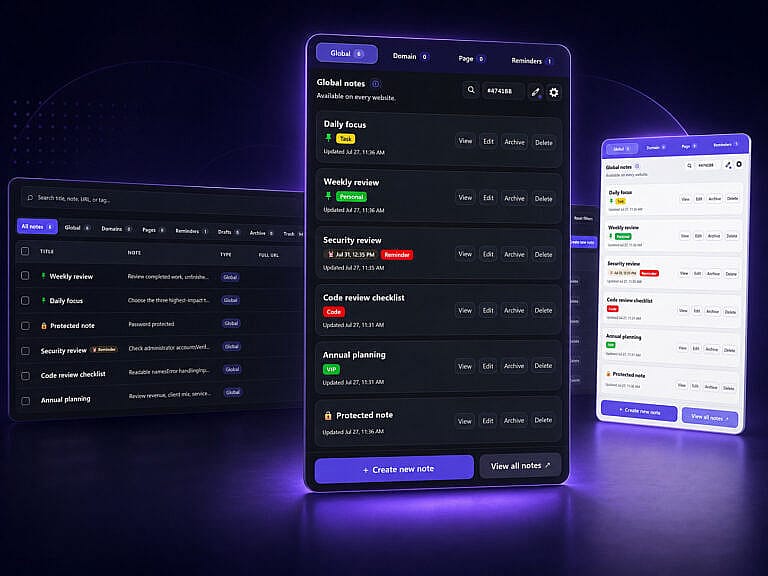
- Recovery and administration: recovery codes, temporary access, role-based redirects and session-management tools.
Two distinctions matter: free registration email verification is different from Pro passwordless login, and Passkey 2FA is a second-factor option, not a claim of passwordless passkey sign-in. The authentication documentation explains these flows.
Why its session controls matter
HMDIA Pro lets you set different session lifetimes for administrators and other users. It can warn users before their session expires and let them extend the current session.
For example, a business could choose a shorter session lifetime for administrators while allowing longer sessions for ordinary account holders. The session settings guide explains the available controls.
HMDIA’s product family also includes Security & Visitor Logs and Post Submission add-ons. The latter supports frontend content submission and approval workflows. The current Pro offering bundles its add-ons and provides annual or lifetime licensing options.
Practical limitation: advanced authentication requires Pro. SMS also requires a Twilio account and usage charges; see the SMS setup requirements.
2. Ultimate Member
Ultimate Member is a strong fit for websites built around public profiles, searchable member directories and community participation.
Its free foundation includes frontend registration, login, account pages, custom fields, user roles and content restrictions. Email activation and administrator approval are also available, so these are not exclusive HMDIA features.
Community extensions add options such as private messaging, groups, followers and social activity.
How it compares with HMDIA: Ultimate Member deserves attention when the member community is the main product. HMDIA deserves attention when your priority is the registration and authentication experience, including passwordless methods, Passkey 2FA and account-session controls.
3. ProfilePress
ProfilePress combines user registration and login forms with paid memberships, content restrictions and digital product sales.
It is worth considering when account creation needs to connect closely with subscriptions or paid access. Its product range also includes member profiles, directories and account-management features.
ProfilePress offers authenticator-app 2FA, including recovery codes and role-based enforcement. Passwordless login is available through an add-on included in higher plans.
How it compares with HMDIA: both offer advanced authentication, but the required plan matters. HMDIA Pro brings passwordless login and multiple second-factor options into its authentication offering. ProfilePress has a stronger emphasis on selling memberships and digital products.
4. User Registration & Membership
User Registration & Membership, from WPEverest, suits websites that need registration forms alongside broader membership workflows.
Its feature range includes account pages, membership functionality, passwordless magic-link login and advanced form options. Paid features include email or SMS two-factor authentication; SMS requires the relevant integration and Twilio setup.
It also documents concurrent-login limits, so session-related controls are not exclusive to HMDIA.
How it compares with HMDIA: compare the exact authentication methods your users need. HMDIA Pro’s authenticator-app and Passkey 2FA options are useful points of difference alongside its temporary-access and session-lifetime controls. For either product, check the plan and integrations needed for your complete workflow.
5. Theme My Login
Theme My Login creates frontend login, registration and password-recovery experiences that follow your WordPress theme.
Its focused approach suits websites that mainly need visitors to sign in through familiar website pages. Its extension range covers moderation, frontend profiles, redirects, security and two-factor authentication.
The 2FA extension supports authenticator apps, backup codes and role-based requirements. The Moderation extension adds email confirmation and administrator approval.
How it compares with HMDIA: HMDIA includes account pages and registration email verification in its free foundation. With Theme My Login, review the extensions required for the same workflow before comparing the overall setup.
6. WP-Members
WP-Members is a practical option for websites where visitors register to access restricted content.
Its core capabilities include frontend registration and login, profile fields, content restriction and registration moderation. This can suit a resource library or website with selected members-only pages.
Its security extension adds features such as failed-login limits, password policies, honeypot protection and concurrent-login prevention.
How it compares with HMDIA: WP-Members centres on the relationship between registration and content access. HMDIA’s main attraction is its range of account-entry and authentication options. Choose according to whether restricted content or flexible sign-in is the more important requirement.
How to choose the right plugin for your website
Start with a short list of tasks your users must complete:
- Define the account journey. Do users need a basic account, a public profile, a subscription or permission to submit content?
- Separate verification from login. Confirm whether an email link verifies registration, signs someone in, or supports both through different settings.
- List your required authentication methods. Check whether passwordless login, authenticator apps, passkeys or SMS are included in the selected plan.
- Compare the complete cost. Include extensions, renewals, site limits and external services such as SMS delivery.
- Test the full journey before launch. Check registration, email delivery, password recovery, mobile forms, redirects and account recovery on a staging copy.
Give new accounts only the permissions they need. The official WordPress roles and capabilities guide explains how roles control access to tasks such as publishing content and managing plugins. A public registration form should not casually grant administrator access.
For a small business that needs branded account pages today and more authentication choices later, HMDIA offers a clear Free-to-Pro path. For a community, subscription platform or restricted-content library, weigh those specialised requirements just as carefully.
Frequently asked questions
Is there a free WordPress user registration plugin?
Yes. All six plugins offer a free foundation. The difference is which account, security, membership and integration features require a paid plan or extension.
Does HMDIA include magic links for free?
HMDIA Free supports magic-link verification for email-and-password registration. Passwordless magic-link login is a Pro feature. These are separate actions, so check which one your website needs.
Can HMDIA use passkeys for two-factor authentication?
Yes. HMDIA Pro documents Passkey 2FA as a second verification step. It requires HTTPS and a compatible browser or authenticator; this should not be confused with primary passwordless passkey login.
Should I choose the plugin with the most installations?
Installation counts can indicate adoption, but they do not establish the best fit for your website. Compare required features, support, maintenance, compatibility and the complete account experience.
Build the account experience your business needs
If your priorities include branded registration forms, email verification, passwordless login and flexible two-factor authentication, explore HMDIA Login & Registration and compare its Free and Pro features against your requirements.