


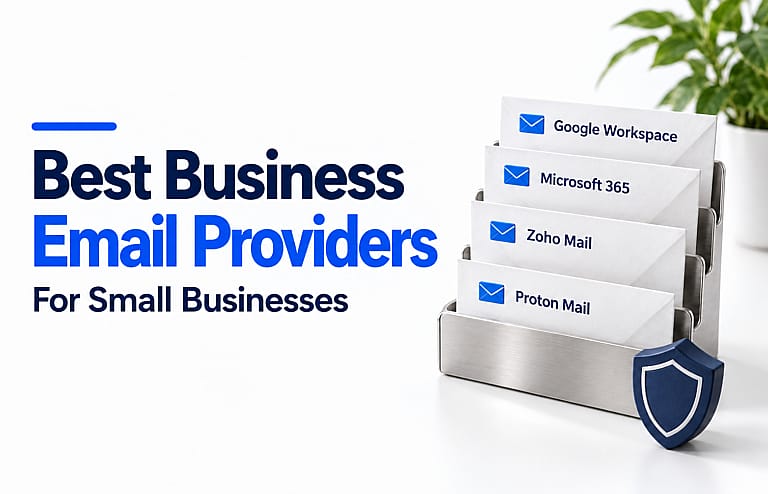
The best business email providers for small businesses depend on how your team works: Google Workspace suits teams using Gmail and Google’s collaboration tools; Microsoft 365 suits businesses working in Outlook and Office; Zoho Mail offers plans focused on business email; and Proton Mail is worth considering when email privacy is a priority.
Start with your existing software, then compare storage, account management, shared inboxes, and the full subscription cost. A familiar inbox matters, but so does being able to manage access when someone joins or leaves.
Business email providers at a glance
These recommendations reflect published features and practical fit, rather than hands-on deliverability testing.
| Provider | Best fit | Plan to consider | Main point to check |
|---|---|---|---|
| Google Workspace | Teams collaborating in Gmail, Docs, and Drive | Business Starter | Storage is pooled across Google services |
| Microsoft 365 | Teams using Outlook and Microsoft apps | Business Basic or Business Standard | Basic includes web and mobile apps; Standard adds desktop apps |
| Zoho Mail | Businesses seeking an email-focused subscription | Mail Lite | Mailbox size, annual billing, and app requirements |
| Proton Mail | Teams prioritizing private business correspondence | Mail Essentials | Encryption behaviour and compatibility with existing apps |
Plan features were reviewed on September 27, 2026. Use the official pricing links below to confirm your country’s currency, billing commitment, and current renewal price.
1. Google Workspace: best for Google collaboration
Google Workspace combines business Gmail with tools including Drive, Docs, Sheets, Calendar, and Meet. It is a practical starting point when your team already shares Google documents and works mainly in a browser.
You can use an address such as [email protected] while managing employee accounts through your organisation.
Business Starter includes 30 GB of pooled storage per user. That allocation covers services such as Gmail and Drive; it is not a separate 30 GB mailbox allowance. Business Standard increases the pooled allocation to 2 TB per user. Check the Google Workspace plans before choosing.
Choose it if: Your daily work centres on Google’s apps and collaborative documents.
Check first: How much storage your team’s email and files already use. Large shared folders can make the entry plan less suitable even when individual inboxes are small.
2. Microsoft 365: best for Outlook and Office workflows
Microsoft 365 is a strong fit for businesses that organise work around Outlook, Word, Excel, and PowerPoint.
The main buying distinction is straightforward:
- Business Basic includes business email and web and mobile versions of Microsoft’s productivity apps.
- Business Standard also includes desktop versions of those apps.
Both provide 1 TB of cloud storage per user. That figure refers to cloud file storage, so do not treat it as a 1 TB email mailbox. Microsoft also offers options with and without Teams. Review the current Microsoft 365 business plans against the applications your staff need.
Shared mailboxes can help several employees handle an address such as [email protected]. Under Microsoft’s shared mailbox rules, each person accessing it needs a licensed Exchange Online mailbox. A shared mailbox can hold up to 50 GB without its own separate licence, although additional features can require licensing.
Choose it if: Your team relies on Microsoft documents, Outlook, or shared departmental email.
Check first: Whether staff require desktop apps and whether the selected subscription includes Teams.
3. Zoho Mail: best for an email-focused plan
Zoho Mail is worth comparing when you primarily need professional email and want to choose that separately from a broader office suite.
Mail Lite supports custom-domain email and offers 5 GB or 10 GB of mailbox storage per user. It is billed annually, with no monthly Mail Lite option listed.
Zoho also offers Workplace plans with additional collaboration applications. Compare the Zoho Mail editions based on what your business will actually use.
The free plan needs closer attention. Where available, it supports one domain and up to five users, with 5 GB per user. However, it is available only in selected data centres and excludes IMAP, POP, and ActiveSync access—the connection methods some email applications use. Do not assume it supports your preferred desktop setup.
Choose it if: You want a business email plan without automatically buying a larger productivity suite.
Check first: Local pricing, mailbox capacity, and compatibility with the apps employees already use.
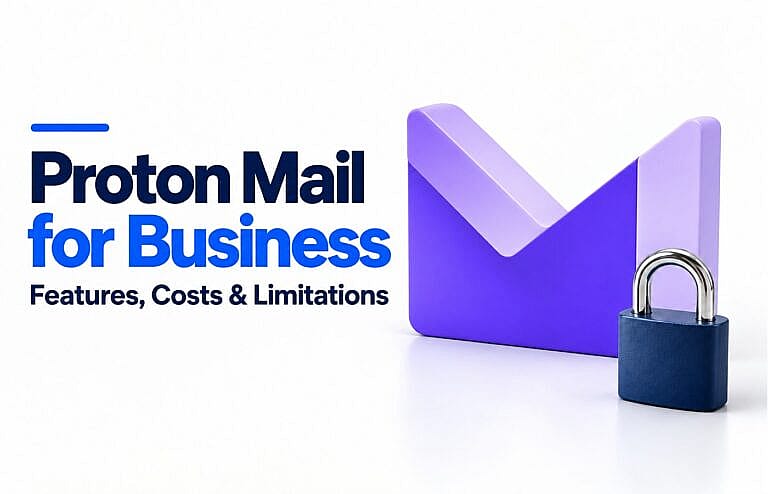
4. Proton Mail: best for a privacy-focused workflow
Proton Mail deserves a place on a small-business shortlist when protecting message content is a central requirement.
Mail Essentials includes 15 GB of storage and 10 email addresses per user, with support for three custom email domains. Multiple addresses do not mean ten separate employee accounts. Review Proton’s business plan guide and current business pricing when sizing your team.
What Proton’s encryption means in practice
Messages between Proton Mail users receive end-to-end encryption automatically. That means the message content is protected so the participating users can read it.
Ordinary messages sent to outside providers do not automatically receive the same protection. They generally use transport encryption, known as TLS. For end-to-end encrypted correspondence with an outside recipient, Proton provides password-protected messages and supports PGP workflows. Subject lines are not end-to-end encrypted. Proton explains these differences here.
Check your applications before switching
Proton offers its own apps. Connecting supported third-party desktop email clients uses Proton Mail Bridge, an additional application. Check the supported clients and versions instead of assuming every Outlook version or mobile app will work the same way.
Choose it if: Email privacy matters enough to shape your team’s workflow.
Check first: Desktop compatibility, shared-address requirements, and connections to business software.
How to choose the right business email service
Compare the full annual cost
Check the renewal price and billing commitment, then calculate the cost for every employee who needs an account. Include domain renewal, storage upgrades, migration assistance, and any separate desktop software.
For Canadian businesses, confirm whether a quoted price is in CAD or USD. Also distinguish an annual commitment billed monthly from a flexible monthly subscription.
Test a real working day
Before moving everyone, trial the tasks your team performs:
- Send and receive messages on a computer and phone.
- Create calendar invitations and share documents.
- Handle a departmental address with another employee.
- Connect accounting software, customer-management tools, and website forms.
- Test account recovery and administrator access.
A provider that meets these needs comfortably may be a better choice than one with a longer feature list.
Decide who needs an inbox
An employee account, an alias, and a shared mailbox serve different purposes.
An alias is another address associated with an existing account. A shared mailbox lets authorised staff handle a common inbox. Confirm the provider’s implementation and licensing before assuming every address needs a paid account—or that aliases replace shared inboxes.
Switching providers without losing your business identity
You can usually keep your existing custom-domain address when changing email providers, provided you control the domain and configure the new service correctly.
Use this migration checklist:
- Inventory accounts and addresses. Include employees, aliases, shared addresses, and software that sends email.
- Create the destination accounts first. Prepare addresses before redirecting incoming messages.
- Plan the data transfer. Check support for old messages, folders, contacts, and calendars; preserve a backup.
- Configure domain records. MX records route incoming mail. SPF, DKIM, and DMARC help receiving systems authenticate messages using your domain.
- Test before cancelling the old service. Check incoming mail, replies, forms, and connected applications while monitoring both systems.
Follow your chosen provider’s instructions for the exact record values and sequence. For example, Proton’s custom-domain guide explicitly places user and address creation before the MX change.
Frequently asked questions
Is Gmail or Outlook better for a small business?
Google Workspace is a practical choice for teams already working in Google’s collaboration tools. Microsoft 365 is a practical choice for teams relying on Microsoft apps. Compare the business subscriptions and required features, including whether employees need desktop software.
Is Proton Mail suitable for business?
Yes. Its business plans support custom domains and multiple users. It is particularly worth considering for a privacy-focused team, provided its applications, encryption options, and integrations fit everyday work.
Can a small business use free custom-domain email?
Sometimes. Zoho’s free offering supports custom-domain email in selected data centres, but account limits and application restrictions apply. Check availability and required features before building your business workflow around a free plan.
Make business email part of a consistent customer experience
Your email address, website, and enquiry process should make it easy for customers to recognise and contact your business. If you are improving that experience, explore HMDIA’s website design services or contact HMDIA to discuss your website and customer enquiry needs.