

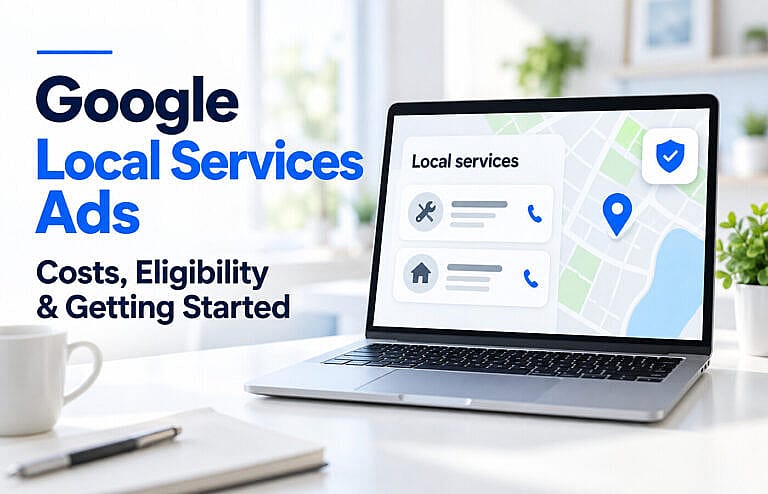
Google Local Services Ads help eligible businesses reach people searching for nearby services. Customers can contact you directly through your ad, and you pay for valid leads rather than ordinary website clicks.
For Canadian service businesses, the opportunity is straightforward: appear when someone needs the work you provide. The challenge is making those enquiries profitable.
This guide explains who qualifies, how costs work, and what to prepare before launching. Availability and requirements vary by business category and location. Google’s introduction to Local Services Ads
What Are Google Local Services Ads?
Google Local Services Ads, often called LSAs, are advertisements that connect local service providers with potential customers through calls, messages and, where supported, booking requests.
For example, someone searching for a nearby plumber may see eligible businesses and contact one directly from its advertising profile.
A customer enquiry is the beginning of the sales process. Your business still needs to answer questions, provide a suitable quote and secure the job.
Local Services Ads vs Regular Google Search Ads
| Feature | Local Services Ads | Regular Google Search Ads |
|---|---|---|
| Main charging model | Pay for valid leads | Typically pay for clicks |
| Customer journey | Contact the business through its advertising profile | Often visit a website or landing page |
| Availability | Selected categories and locations | Broader range of eligible businesses |
| Setup emphasis | Services, service areas, verification and profile quality | Keywords, targeting, ad copy and destinations |
Neither option is automatically cheaper per customer. Compare the cost of winning completed work.
For more on click-based advertising, read our Google Ads pricing and budget guide.
Who Is Eligible for Local Services Ads in Canada?
Google’s Canadian guidance lists categories including plumbing, electrical work, HVAC, house cleaning, carpet cleaning, moving, pest control, roofing and several other home services.
However, appearing in a supported category does not confirm availability for every location. Start with the eligibility check linked from Google’s Canadian getting-started guide.
Businesses also need a public, verified Google Business Profile. Additional checks depend on the category and location and can involve licences, insurance, identity verification or background screening. Use your account’s requirements rather than assuming every advertiser submits the same documents. Google’s Canadian verification requirements
Before applying, check that your business name, phone number, services and operating details are accurate. Our Google Business Profile optimization guide explains how to strengthen that foundation.
What Happened to Google Guaranteed?
Google’s current documentation describes the Google Verified badge, which indicates that an eligible advertiser has completed the required screening and verification.
Older articles may discuss the Google Guarantee badge and its associated money-back protection. Google has discontinued that money-back guarantee. Avoid presenting today’s badge as a promise that Google will reimburse customers for unsatisfactory work. Google’s badge explanation
How Much Do Google Local Services Ads Cost?
There is no single fixed cost per lead that applies to every business.
Google states that lead prices vary according to location, job type, lead type and bidding mode. A valid enquiry can remain chargeable even when the customer is comparing prices or does not ultimately book. How Google charges for leads
When estimating costs, separate three amounts:
- Advertising spend: What Google charges for leads.
- Management costs: Any separate fee for someone managing the account.
- Cost per acquired customer: Advertising and relevant acquisition costs divided by customers won.
How the Budget Works
Google uses an average weekly budget. Spending can be higher in one week and lower in another.
For an unchanged budget, Google calculates the monthly maximum as:
Average weekly budget × 30.4 ÷ 7
For example, a C$300 average weekly budget produces a monthly maximum of approximately C$1,302.86. Changing the budget during the month changes the remaining spending allowance, so check the updated amount in your account. Google’s budget rules
A Practical Cost Example
The following numbers are hypothetical planning assumptions, not Canadian market averages or a Google quote.
| Measure | Example |
|---|---|
| Advertising spend | C$1,200 |
| Average cost per lead | C$50 |
| Leads received | 24 |
| Percentage becoming completed jobs | 25% |
| Completed jobs | 6 |
| Advertising cost per completed job | C$200 |
This calculation shows why a seemingly affordable lead can still produce an expensive customer.
Compare that C$200 with what remains from the job after labour, materials and other delivery costs. Allow room for overhead and profit, plus any management fees and applicable taxes.
How to Get Started With Google Local Services Ads
1. Confirm Your Category and Service Area
Check eligibility using the business you actually operate and the locations you serve.
Prepare a list of profitable services and realistic travel areas. For a business serving Toronto, Richmond Hill or Newmarket, that means considering travel time and appointment capacity before selecting a broad coverage area.
2. Connect Your Business Profile
Use an account authorized to manage the business’s Google Business Profile.
Google checks the connection between the profile and the Local Services account. If the person completing onboarding lacks the required profile access, that access must be resolved before the ad can appear. Google’s screening process
3. Complete the Required Verification
Follow the checklist shown in your account. Submit current documents and check that names and business details match.
Google’s Canadian guidance gives an average screening timeframe of three to four weeks after documents are submitted. Treat that as an estimate, allowing extra time for corrections or additional checks. Canadian screening guidance
4. Choose Your Budget and Bidding Approach
Google describes three bidding approaches:
- Maximize leads: Google adjusts bids to seek leads within your budget.
- Target cost per lead: Automated bidding works toward an average lead-cost target.
- Max per lead: You set a manual maximum bid.
Google recommends Maximize leads, but your spending decision should also reflect available cash, job profitability and capacity. Review the options available in your account. Google’s bidding guidance
5. Set a Schedule and Follow-Up Process
Choose advertising hours that match your ability to handle enquiries. Google supports business-hours schedules and custom schedules, and you can pause advertising when needed. Ad scheduling options
Before launch, decide who will answer calls, monitor messages, send quotes and follow up. Keep a simple record of each enquiry’s service, location, quoted value and outcome.
How to Improve Results After Launch
Google’s auction considers bids alongside factors such as responsiveness, relevance, reviews and profile quality. Increasing spending alone does not address every performance problem. Google’s ad-ranking explanation
Focus on actions your business can control:
- Respond promptly. Assign responsibility for enquiries during advertised hours.
- Keep services accurate. Remove work you cannot consistently provide.
- Use helpful photos. Show your team, equipment and completed work accurately.
- Request honest reviews. Ask customers for feedback without directing them toward a particular rating.
- Track completed jobs. Record revenue and delivery costs alongside lead counts.
Review the whole enquiry process when leads fail to convert. Our guide to why websites get traffic but no leads covers related issues with messaging, trust and follow-up.
Can You Get Credits for Poor Leads?
Google uses automated systems to assess lead quality and may issue credits for eligible leads.
However, it no longer supports credits simply because a lead involves a job type or geographic area you do not service. Credit availability also has category and regional restrictions.
Review your lead reports, submit feedback where appropriate, and keep service settings accurate. Do not budget on the assumption that every unwanted enquiry will be refunded. Google’s lead-credit policy
Frequently Asked Questions
Are Google Local Services Ads Worth It?
They can be worth testing when your business qualifies, has capacity and can convert enquiries into profitable work. Assess completed jobs and acquisition costs over a meaningful sample of leads before increasing spending.
Do I Pay Only When Someone Books?
No. Google charges for valid leads, which can include relevant enquiries that do not become bookings. A cancellation or a customer researching prices does not automatically qualify for a credit. Google’s valid-lead rules
Can I Pause Local Services Ads?
Yes. You can pause the ad in your Local Services account and resume it when you are ready. Pausing is useful when your schedule is full or staff cannot handle new enquiries. Google’s scheduling guidance
Should I Use Local Services Ads Alongside SEO?
Consider them as parts of your customer acquisition plan. Advertising can generate enquiries while your website explains your services, demonstrates your work and helps customers assess your business.
Our SEO vs Google Ads comparison can help you decide how to divide your effort and budget.
Prepare Your Business to Turn Enquiries Into Customers
Start with accurate eligibility information, complete verification and a budget tied to job profitability. Then make response times, quoting and completed-job tracking part of everyday operations.
If your website needs clearer service pages, stronger trust signals or an easier enquiry process, explore HMDIA’s website design services to support the next stage of your local marketing.