

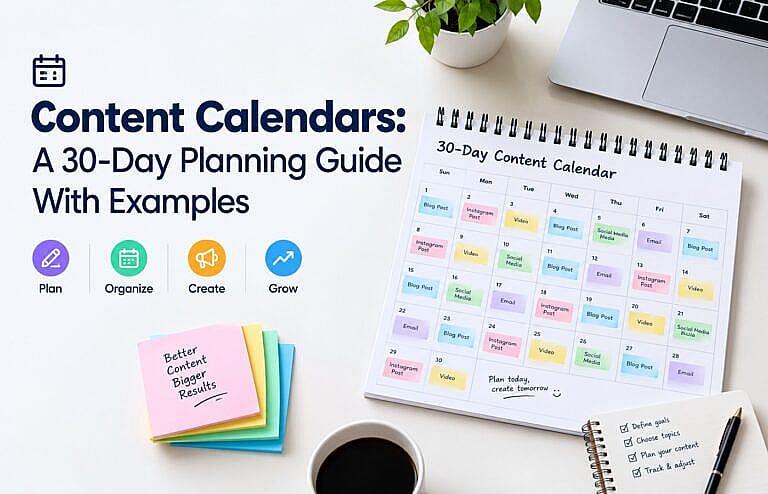
A content calendar is a schedule showing what your business plans to publish, where it will appear, when it will go live, and what purpose it serves.
A good content calendar does more than fill empty dates. It connects content to business goals.
Instead of asking:
“What should we post today?”
your team can know in advance:
what to publish, why it matters, who is responsible, and what action you want the audience to take.
This guide shows how to plan 30 days of content without needing to publish something every day.
What Should a Content Calendar Include?
At minimum, track:
| Field | Purpose |
|---|---|
| Publish date | When the content goes live |
| Channel | Blog, Instagram, LinkedIn, email, etc. |
| Topic | What the content covers |
| Format | Article, image, short video, carousel, email |
| Goal | Awareness, engagement, leads, sales |
| CTA | What the audience should do next |
| Owner | Person responsible |
| Status | Idea, draft, review, scheduled, published |
| Destination URL | Where traffic should go |
| Campaign tag | Helps measure performance |
Canva’s current content-calendar guidance similarly recommends organizing topics, schedules, responsibilities, channels, and supporting campaign information in one place.
Canva’s content calendar guide
Step 1: Start With One Business Goal
Do not begin by generating thirty random ideas.
Choose a goal.
Examples:
- generate more quote requests
- sell a product
- increase local visibility
- grow an email list
- educate existing customers
- establish expertise
If the goal is generating web-design leads, your calendar might focus on questions prospective clients ask before hiring an agency.
If the goal is selling an online product, the plan may include education, demonstrations, customer proof, and offers.
Content becomes easier to plan when every item has a reason to exist.
Step 2: Define 4 Content Pillars
Content pillars are repeatable themes.
A useful four-part structure is:
1. Education
Answer questions.
Examples:
- How does SEO work?
- What makes a good homepage?
- How much should a Google Ads click cost?
2. Expertise
Show how you approach a problem.
Examples:
- website audit observations
- before-and-after design decisions
- campaign optimization lessons
- workflow explanations
3. Trust
Give visitors reasons to believe you.
Examples:
- testimonials
- case studies
- completed projects
- team expertise
- process explanations
4. Conversion
Invite the next step.
Examples:
- request a quote
- book a consultation
- register
- download a resource
- buy a product
Using several pillars prevents the calendar from becoming thirty consecutive sales messages.
For the broader foundation behind this approach, read the four basics of marketing.
Step 3: Match Content to the Customer Journey
Not everyone seeing your content is ready to buy.
Think about three stages.
Discovery
The visitor has a question.
Example:
“What is local SEO?”
Evaluation
The visitor is comparing approaches.
Example:
“SEO vs Google Ads: which is better?”
Decision
The visitor is close to contacting or buying.
Example:
“What is included in professional SEO management?”
Your calendar should contain content for all three stages.
If everything is aimed at people ready to buy today, you ignore a large part of your future audience.
A 30-Day Content Calendar Example
You do not need thirty posts.
This example uses five meaningful pieces of content per week and leaves room for engagement, updates, and repurposing.
Week 1: Educate
| Day | Content |
|---|---|
| 1 | Blog answering a major customer question |
| 2 | Short social summary of the article |
| 3 | FAQ post answering one related question |
| 4 | Email sharing the guide |
| 5 | Short video explaining one key takeaway |
| 6–7 | Engage with replies and review performance |
Week 2: Build Trust
| Day | Content |
|---|---|
| 8 | Customer problem and solution example |
| 9 | Behind-the-scenes workflow |
| 10 | Testimonial or review with context |
| 11 | Educational carousel |
| 12 | Team or expertise post |
| 13–14 | Engagement and content repurposing |
Week 3: Help People Compare
| Day | Content |
|---|---|
| 15 | Comparison article |
| 16 | Pros-and-cons social post |
| 17 | Common mistake post |
| 18 | FAQ about pricing or process |
| 19 | Short demonstration or tutorial |
| 20–21 | Review comments and questions |
Week 4: Convert
| Day | Content |
|---|---|
| 22 | Detailed service or product explanation |
| 23 | Case-study summary |
| 24 | Objection-handling FAQ |
| 25 | Strong call-to-action post |
| 26 | Email focused on the offer |
| 27–28 | Follow-up and engagement |
Days 29–30: Review and Plan
Look at:
- pages visited
- enquiries
- purchases
- email signups
- comments
- shares
- search impressions
- campaign traffic
Use those findings to build the next month’s calendar.
Step 4: Turn One Strong Topic Into Multiple Formats
You do not need thirty completely unrelated ideas.
Suppose you publish:
“Best Homepage Design: 10 Examples and Practical Ideas.”
That one article can become:
- a LinkedIn post about homepage headlines
- an Instagram carousel showing five mistakes
- a short video about calls to action
- an email featuring three examples
- an FAQ about homepage length
- a follow-up article about mobile homepage design
This is content repurposing.
The goal is not to post the exact same message everywhere. Adapt the idea to the platform and audience.
Step 5: Include Searchable Topics
A content calendar should not be based only on what sounds interesting internally.
Use:
- Google Search Console
- keyword research
- customer emails
- sales questions
- support tickets
- Google Ads search terms
- community questions
If several customers repeatedly ask the same question, that question may deserve a dedicated article.
This is particularly valuable for AI search because clear question-and-answer content can help search systems understand what the page addresses.
HMDIA’s guide to optimizing your website for AI search explains the broader strategy.
Step 6: Connect Social Content to Your Website
Social media platforms are useful distribution channels, but important evergreen information should usually have a permanent destination on your website.
Instead of publishing your entire expertise only inside social feeds, consider using:
Website article → social summary → email → short video → website CTA
That creates a connected marketing system.
If you need scheduling or publishing software, compare the options in HMDIA’s guide to social media marketing tools.
Step 7: Track Campaign Links Consistently
When several channels promote the same content, tracking becomes important.
Google Analytics supports UTM parameters such as:
utm_sourceutm_mediumutm_campaignutm_content
These parameters help identify which campaign or source sent visitors to your website. Google recommends consistent naming because capitalization and spelling differences can fragment reporting.
For example, choose one naming convention:
utm_source=linkedin
utm_medium=social
utm_campaign=website_redesign
Do not alternate randomly between:
LinkedIn
linkedin
Linked_In
LI
That creates messy reporting.
Step 8: Measure Business Results, Not Just Likes
Engagement can be useful, but it is not the only outcome.
A post with 100 likes and zero qualified website visits may be less valuable than a post with ten likes and three real enquiries.
Track metrics connected to the objective:
Awareness
- reach
- impressions
- branded searches
Engagement
- comments
- saves
- shares
- email clicks
Traffic
- website sessions
- landing-page visits
Leads
- calls
- forms
- bookings
- quote requests
Revenue
- purchases
- qualified customers
- acquisition cost
When traffic grows but leads do not, investigate the website as well. Read why your website gets traffic but no leads.
How to Use AI in a Content Calendar
AI can help with:
- brainstorming variations
- reorganizing notes
- generating draft outlines
- repurposing long content
- identifying FAQ ideas
- creating first-draft captions
But review everything before publishing.
AI can produce incorrect statistics, outdated product details, repetitive wording, or claims your business cannot support.
The business should remain responsible for accuracy, expertise, examples, and final decisions.
Frequently Asked Questions
How far ahead should I plan content?
Thirty days is a practical starting point for many businesses. Keep some flexibility for timely announcements or new information.
Should I post every day?
No. Publishing fewer useful pieces consistently can be better than filling every day with weak content.
What is the best content-calendar tool?
The best tool is the one your team will actually maintain. A spreadsheet may be enough for a small business. Larger teams may benefit from dedicated planning and approval software.
Should blog posts and social media use the same calendar?
They can be managed together if the calendar clearly identifies the channel, owner, due date, and status.
How often should I review the calendar?
Check operational status weekly and analyze performance at least monthly. Adjust future topics based on what you learn.
Final Thoughts
A good content calendar gives your marketing direction.
The objective is not simply to publish more.
It is to create the right content, for the right audience, at the right stage of the buying journey—and then measure what happens.
Start with one business goal, define a few repeatable content pillars, plan a month, track the results, and improve the next calendar based on evidence.
If you need help connecting your content strategy with SEO, social media, Google Ads, and a website built to generate leads, explore HMDIA’s digital marketing services.