

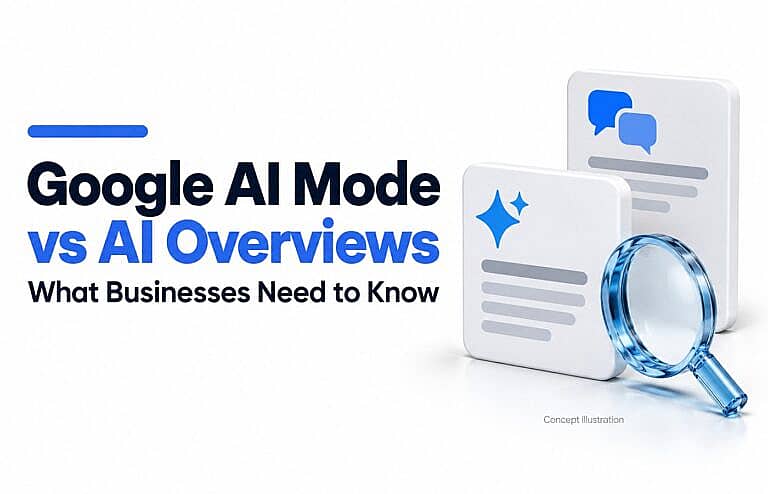
AI Overviews provide an AI-generated summary within Google’s search results. AI Mode offers a dedicated conversational search experience for deeper questions, comparisons and follow-ups. Both can include links to websites, but they help people explore information in different ways.
For businesses, the practical question is how to make useful information available when potential customers are researching, comparing options and deciding whom to contact.
What Are Google AI Overviews?
AI Overviews are summaries that Google displays when its systems consider an AI-generated response helpful. They bring together key information and links that let users investigate further.
An AI Overview does not appear for every search. Google’s AI Overviews guide explains when these summaries may appear and warns that AI responses can contain mistakes.
For a business, an overview creates a potential opportunity to have a useful page included among the supporting sources. Being mentioned or linked does not automatically produce a website visit or an enquiry.
What Is Google AI Mode?
Google AI Mode lets people explore a subject through an ongoing conversation. Someone can ask a detailed question, review the response and add requirements through follow-up questions.
Google’s AI Mode documentation describes an experience designed for more advanced reasoning and exploration, with links to supporting web content.
This makes detailed business information useful: customers may want to compare suitability, limitations, service areas and practical requirements before visiting a provider’s website.
AI Mode vs AI Overviews: A Quick Comparison
| Difference | AI Overviews | AI Mode |
|---|---|---|
| Main experience | A summary within search results | A dedicated conversational search experience |
| Typical purpose | Get an initial understanding | Explore, compare and refine a question |
| Follow-up questions | Supported mobile experiences can continue into AI Mode | Follow-ups are part of the experience |
| Website discovery | Supporting links alongside the summary | Supporting links within the research experience |
The experiences can connect. On supported mobile devices, users can move from an AI Overview into AI Mode while retaining the original search context. Treating them as completely isolated journeys would miss that connection.
Both features may use query fan-out: running related searches across subtopics to develop an answer. Their responses and supporting links can differ because they may use different models and techniques.
How Could a Customer Use Each One?
Consider this illustrative example, rather than a prediction of a particular Google result.
A small retailer searches:
What should I look for in a website design company?
An AI Overview could provide an initial explanation of factors to consider.
The retailer might then explore a more detailed question in AI Mode:
I need a WordPress website for a local shop, with online bookings and ongoing maintenance. What should I compare before choosing an agency?
Follow-ups could cover ownership, maintenance responsibilities, booking integrations or what happens after launch.
For the agency, this suggests useful content opportunities:
- Explain exactly what its website package includes.
- Describe who owns the domain, hosting account and website.
- Clarify maintenance responsibilities and exclusions.
- Show relevant, genuine project examples.
- Explain how customers request a proposal.
These details help a prospective customer evaluate the service. A vague claim such as “we build amazing websites” leaves those questions unanswered.
What Should Businesses Improve on Their Websites?
Start with the pages closest to your customers’ decisions: important services, products and genuinely useful guides.
1. Check Whether Important Pages Are Eligible
Google says a page must be indexed and eligible to appear in Search with a snippet to qualify as a supporting link in these AI features.
Review whether Google can access the page, read its main information and discover it through relevant internal links. Eligibility does not guarantee selection. See Google’s guidance on AI features and websites.
If an important page remains outside the index, use HMDIA’s guide to “Crawled – currently not indexed” to investigate before focusing on AI visibility.
2. Review Your Search Generative AI Setting
As of October 2026, Google documents a Search generative AI control under Search Console settings. It manages whether a site’s links and content can appear in supported generative AI features, including AI Overviews and AI Mode.
Check that your setting matches your intended visibility. A property can also inherit its setting from a parent property.
Google explains that this control does not determine ranking or inclusion in other parts of Search. Review the official control documentation before changing it.
3. Answer Questions That Affect a Purchase
Review questions your team receives before a sale or booking. Useful subjects might include:
- Who is this service suitable for?
- What is included, and what costs extra?
- What information does the customer need to provide?
- Which products or systems are compatible?
- What limitations should someone understand?
- What happens after the purchase?
Use actual business knowledge, accurate specifications and original examples where available. Google’s generative AI optimisation guide emphasises distinctive, useful content rather than repeating common information.
Organise the answers where customers need them. A clear service page may serve the reader better than several overlapping articles.
4. Keep Business and Product Details Accurate
Check your website, Google Business Profile and relevant product information for outdated hours, services, prices or availability.
Google’s current guidance identifies Business Profile and Merchant Center as useful ways to maintain business and product information for Search, including generative AI experiences.
For a local business, HMDIA’s Google Business Profile optimisation guide provides a practical starting point.
5. Make the Next Step Easy
Give visitors a useful destination after they click.
A service page should explain the offer and provide a clear enquiry option. A product page should make specifications, availability and purchasing details easy to find.
Test the contact form, booking process and mobile layout. If people arrive but do not take useful action, review why your website gets traffic but no leads.
How Should You Measure Results?
Separate visibility, visits and business outcomes.
AI visibility: Google’s Generative AI performance report reports impressions from supported Search features, including AI Overviews and AI Mode. Its documentation says the rollout reached websites worldwide on August 31, 2026. A site may not see the report if it has insufficient impressions.
The report supports analysis by page, country, device and date. It measures visibility; it does not tell you how many qualified leads each feature generated.
Overall search performance: Continue reviewing Search Console’s Web performance data. Google includes traffic from its AI features in those overall figures. Avoid adding overlapping reports together as if they represented separate audiences.
Business outcomes: Use Google Analytics key events to measure meaningful actions, such as completed enquiry forms or bookings. Then assess whether those enquiries became suitable prospects or customers.
Keep a change log and compare similar periods. An increase in impressions alone does not establish that your marketing generated more business.
Where Do Google Ads Fit?
Paid advertising is a separate route to visibility. Google documents ad placements above, below and within AI Overviews, subject to eligibility and auction conditions. Advertisers cannot directly target only the placements within AI Overviews. See Google’s advertising guidance.
Advertising spend does not improve organic rankings. Evaluate paid campaigns through their own costs and results, alongside your organic search work.
Frequently Asked Questions
Do I Need Separate Pages for AI Mode and AI Overviews?
Usually, no. Build pages around distinct customer needs. Google’s guidance does not require rewriting content specifically for AI systems or creating a separate page for every query variation.
Do I Need an llms.txt File or Special AI Schema?
Google says special AI files and markup are unnecessary for its generative search features. Its current guidance also says Google Search ignores llms.txt files for visibility and rankings. This describes Google’s systems, not every AI service.
Does Ranking First Guarantee an AI Citation?
No. Organic ranking and inclusion as a supporting source are different outcomes. Google states that meeting its requirements does not guarantee that it will serve your content in these features.
Prepare Your Website for Better Customer Decisions
Choose one important service or product page. Check its eligibility, answer the questions customers actually ask, verify its details and make the next step clear.
Explore HMDIA’s web design, SEO and digital marketing services for help improving your website’s content, structure and path from discovery to enquiry.