

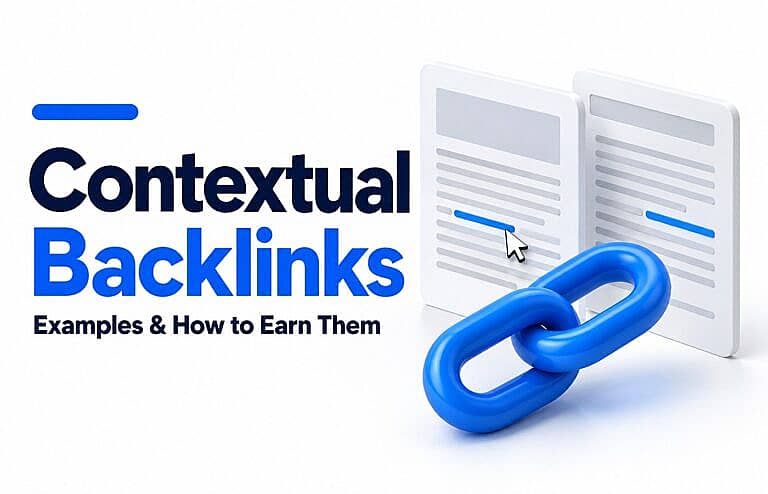
Contextual backlinks are links from another website that appear within relevant written content, such as an article, guide or case study. They connect readers to a useful source at the point where that source helps explain the subject.
For a small business, the opportunity is straightforward: publish something worth referencing and help relevant publishers discover it. A useful checklist, original finding or detailed explanation gives another website a reason to link to you.
Why contextual backlinks matter for SEO
Google explains in its link best practices that links help it discover pages and assess relevance. Descriptive link text and the surrounding explanation also help readers understand the destination.
Google’s ranking systems guide confirms that link analysis, including PageRank, remains part of its ranking systems.
A relevant backlink can also send visitors directly to your website. For example, someone reading a home-maintenance guide may follow a reference to a contractor’s detailed checklist.
However, placing a link inside a paragraph does not automatically make it valuable. Consider the publisher, the reason for the link and whether the destination actually helps the reader.
Contextual backlinks versus other links
“Contextual” describes a link’s placement and relevance. “Backlink” describes its direction: another website is linking to yours.
| Link type | Example | What distinguishes it |
|---|---|---|
| Contextual backlink | An industry article cites your research within a paragraph | Another website references your page within relevant content |
| Internal contextual link | Your blog links to your own related guide | The reader stays on the same website |
| Directory backlink | A business profile includes your website address | The link is part of a listing |
| Footer or sidebar backlink | Another website links to your business in a repeated template section | The placement sits outside the main article |
| Sponsored contextual link | A paid article includes a relevant link to your business | The commercial relationship requires appropriate link qualification |
These categories can overlap. A directory could publish an editorial article containing contextual links, while its standard business profiles use designated website fields.
Three contextual backlink examples
These are illustrative scenarios, not reported client results.
1. A publisher references original research
An accounting business publishes a survey about common bookkeeping problems among small retailers. A business publication discusses the findings and links to the survey’s methodology and results.
The link lets readers inspect the evidence behind the article.
2. A local guide recommends a useful resource
A home-services business creates a seasonal maintenance checklist. A neighbourhood publication links to it within an article about preparing a property for winter.
The checklist expands on a task the publication has already introduced.
3. An industry article explains a technical process
A WordPress developer publishes a troubleshooting guide with clearly documented steps. An industry writer references that guide while explaining a related website problem.
The destination provides detail that would interrupt the flow of the writer’s own article.
In each example, the linked page has a specific purpose. A general homepage would not necessarily provide the same help.
How to recognise a useful contextual backlink
Assess the actual page before getting distracted by a website’s headline metrics.
Ask these questions:
- Is the subject relevant? The article should have a clear connection to your resource.
- Who would click? Identify the audience and what they would gain.
- Does the sentence read naturally? The reference should make sense within the explanation.
- Is the publisher credible? Look for identifiable ownership, accurate content and editorial care.
- Does the destination deliver? Check that the linked page works and answers the reader’s question.
- Why does the link exist? Understand whether it is an editorial reference, advertisement or user contribution.
Anchor text is the visible wording someone clicks. Google recommends descriptive, concise wording that fits the surrounding content. For example, “seasonal maintenance checklist” tells readers more than “click here.” Avoid forcing multiple search phrases into the same link.
How to earn contextual backlinks
1. Build one resource people can reference
Start with a recurring customer question that your business can answer particularly well.
Useful options include:
- A checklist people can use while completing a task.
- Original research with its sample, dates and limitations explained.
- A calculator with transparent assumptions.
- A technical guide with verified instructions.
- A comparison based on clearly stated criteria.
Choose a subject where you can add something specific. A short, accurate resource can be more useful to an editor than a long article repeating familiar advice.
Make the resource publicly accessible, easy to navigate and clear about who created it. Keep it updated when the underlying information changes.
2. Find publishers with a matching audience
Look for publications, associations, community websites and resource pages that already cover the subject.
Read the relevant page before contacting anyone. Identify the exact sentence, question or missing explanation your resource could support.
For example, a moving checklist may suit a local relocation guide. It is unlikely to help an unrelated article about software development.
A short list of closely matched opportunities makes outreach easier to personalise and assess.
3. Explain the reader benefit in your outreach
Keep your message specific and let the publisher make the editorial decision.
An illustrative message could say:
Your guide explains how homeowners can prepare for winter. We published a printable checklist covering the maintenance tasks mentioned in your heating section. If it would help your readers, you’re welcome to reference it.
Include the resource link in the actual message. Avoid promises about ranking benefits, demands for exact anchor text or repeated follow-ups after someone declines.
4. Contribute relevant expertise
Offer a useful explanation, quotation or properly documented finding when a writer is covering your area of expertise.
Give enough detail to help the article stand on its own. Where a link is appropriate, point to the original resource that supports your contribution.
Do not assume every quotation will produce a backlink. A publisher may use the information without linking.
5. Suggest corrections where a resource is genuinely relevant
If a page links to an unavailable resource and yours answers the same question, you can suggest it as a replacement.
First confirm that the original link is broken and read the surrounding content. A loosely related sales page is not a useful substitute for a detailed reference.
Likewise, if a publication mentions your original research without providing a source, a polite request to add the supporting link can help its readers verify the claim.
Link-building practices to avoid
Google’s link-spam policies identify practices such as buying links for ranking purposes, excessive link exchanges and automated link creation as spam. Low-quality directory links are also included.
Be cautious about packages promising hundreds of contextual backlinks or guaranteed ranking improvements. Inspect the proposed publications and understand what you are purchasing.
Paid advertising can still have a legitimate purpose. Google’s outbound-link guidance recommends rel="sponsored" for paid placements; nofollow is also acceptable. User-generated links, such as forum comments, can be marked ugc.
An advertising placement should be evaluated for its audience and commercial results.
Where business-directory listings fit
Directory listings help people find and check business information. They serve a different purpose from an editor referencing your research within an article.
A balanced approach can include both useful listings and resources worth citing.
For example, the HMDIA Business Directory organises businesses into categories. A listing can introduce your business, while a detailed resource on your own website gives other publishers something specific to reference.
Choose directories for relevance and usefulness, and keep your details accurate. HMDIA’s guide to Canadian business directories explains what to prepare and how to assess listing opportunities.
A directory listing does not guarantee an editorial backlink, higher rankings or enquiries.
How to track your progress
Keep a simple record of each referring page, the destination on your website, the link’s context and the date you found it.
Review:
- Whether the link remains live and reaches the correct page.
- Referral visits and meaningful actions, such as enquiries or downloads.
- Search impressions and clicks for the linked resource.
- Whether the referring audience matches your business.
Google’s Search Console Links report can help you identify linking websites and linked pages. It provides a sample, so it should not be treated as a complete inventory.
Record other changes to your website when assessing results. A ranking increase after gaining a link does not prove that the link caused it.
For a wider plan, connect this work with the tasks in HMDIA’s local SEO checklist for small businesses.
Frequently asked questions
Are contextual backlinks always dofollow?
No. A link can appear within relevant content and still use nofollow, sponsored or ugc. Placement and link attributes describe different characteristics.
Are internal links backlinks?
No. Internal links connect pages within your own website. Backlinks come from other websites. Both can appear within relevant paragraphs.
How many contextual backlinks does a small business need?
There is no universal target. Start by identifying useful resources and relevant publishers, then assess the resulting traffic and business outcomes. Avoid choosing a monthly quota without a reason.
Are backlinks still relevant to SEO?
Yes. Google continues to use link analysis in its ranking systems. Their presence alone does not guarantee that a page will rank for a particular search.
Build a website worth referencing
Useful backlink opportunities begin with something worth sharing. Give customers and publishers clear answers, credible evidence and resources they can use.
Explore HMDIA’s website design and SEO services for help building a clear, useful website and planning content around your customers’ questions.