


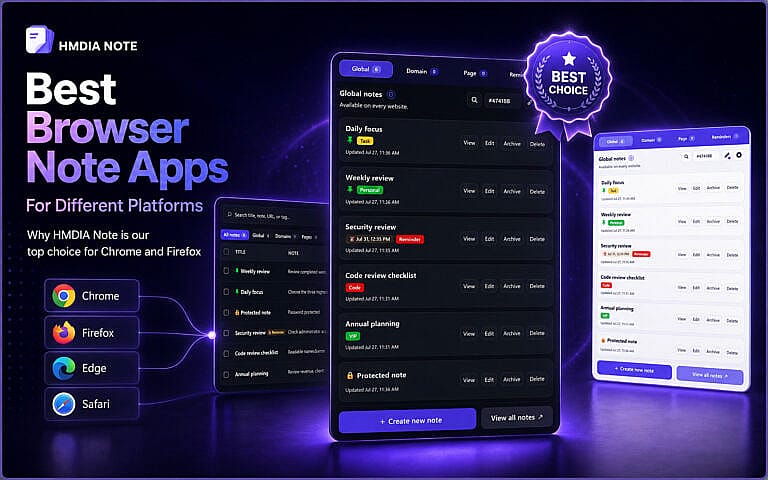
The best browser note app depends on how you work. Some tools clip articles into a larger workspace. Others provide simple synced notes. A smaller group keeps the note connected to the website where it matters.
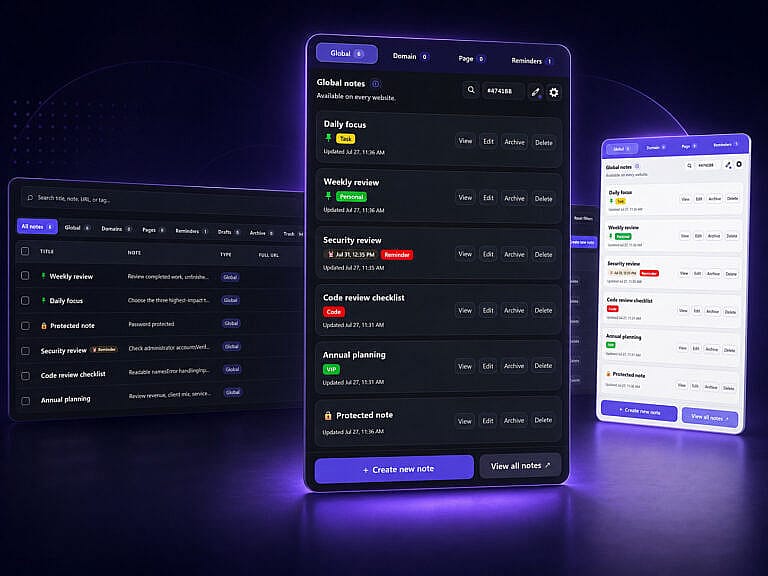
HMDIA Note is our best overall choice because it combines Global, Domain, and Page notes with rich-text editing, checklists, tags, search, and one-time or recurring reminders. It is especially useful when a note should stay connected to a particular website or exact URL. HMDIA Note officially supports Chrome and Firefox, stores notes locally by default, and offers optional encrypted synchronization through the user’s own Google Drive account.
Other apps may be better for a particular workflow. Evernote is strong for web clipping, OneNote fits Microsoft users, Obsidian suits local Markdown knowledge bases, Apple Quick Note is convenient in Safari, and Google Keep is a simple cross-device option.
Disclosure: HMDIA Note is developed by HMDIA. We placed it first because this comparison prioritizes website-specific notes, reminders, local-first storage, and an in-browser workflow. The platform recommendations below explain where another app may fit better.
Browser Note Apps Compared
| App | Best for | Official platform coverage | Main advantage |
|---|---|---|---|
| HMDIA Note | Notes connected to websites and URLs | Chrome and Firefox | Global, Domain, and Page notes with reminders |
| Evernote Web Clipper | Saving research to Evernote | Chrome, Firefox, Edge, and Safari | Flexible clipping and organization |
| OneNote Web Clipper | Microsoft and OneNote users | Chrome and Edge | Saves articles, regions, and full pages |
| Obsidian Web Clipper | Local Markdown knowledge bases | Major desktop browsers | Local, durable Markdown files |
| Apple Quick Note | Safari users on Mac | Safari and Apple Notes | Built into macOS and linked to webpages |
| Google Keep | Fast notes across devices | Web, Android, iPhone, and iPad | Simple notes, lists, and collaboration |
The platform information above comes from each product’s official documentation.
What Makes a Good Browser Note App?
A useful browser note app should let you record information without interrupting your work. Look for fast access, a clear connection between the note and its URL, search or tags, reliable backup or export, and support for your preferred browsers. Reminders are especially valuable when a saved page requires action.
A web clipper is best for preserving content. A website note extension is better for recording instructions, decisions, tasks, or reminders about the page itself.
1. HMDIA Note: Best Browser Note App Overall
HMDIA Note is the strongest overall choice for people who want notes to remain connected to their browsing context.
Its three note levels solve different problems:
- Global notes are available on every website.
- Domain notes belong to an entire website.
- Page notes are attached to one exact URL.
A web designer can keep a Domain note for a client’s website and a Page note for a specific revision. A shopper can attach a reminder to an order page. A researcher can keep observations beside the source rather than saving an unexplained link elsewhere.
HMDIA Note also includes rich-text notes, checklists, tags, search by title, content, URL, or tag, archive and trash tools, password protection, and popup, sidebar, or movable-window views. Reminders can run once or repeat daily, weekly, monthly, or yearly.
Notes remain in the browser by default. Premium users can optionally synchronize encrypted data through their own Google Drive account, and HMDIA states that it does not receive or store note content. Local users should create backups because removing the extension or clearing browser data can delete local notes. See the HMDIA Note Privacy Policy for details.
Best for: Chrome and Firefox users, website owners, marketers, researchers, shoppers, and freelancers.
Main limitation: Official support currently lists Chrome and Firefox, so Safari-first users may prefer Apple Quick Note.
2. Evernote Web Clipper: Best for Saving Research
Evernote Web Clipper is a strong choice for people who already organize projects and research in Evernote.
It can capture full webpages, simplified articles, images, and selected text. Saved material can be assigned to notebooks and tags, while smart filing can suggest a destination. Official desktop support covers Chrome, Firefox, Edge, and Safari.
Evernote is better when your priority is building a centralized research library. HMDIA Note is better when a note should remain associated with a domain or exact page and may need a recurring reminder.
Best for: Writers, researchers, students, and existing Evernote users.
3. OneNote Web Clipper: Best for Microsoft Users
OneNote Web Clipper is the natural option for people whose work already lives in OneNote or Microsoft 365.
It can save a full page, selected region, or simplified article. Microsoft says it can recognize articles, recipes, and products, while article clips can remain editable in OneNote. Official installation options are provided for Chrome and Edge.
Its strength is ecosystem integration: clips can join notebooks already used for meetings, classes, or projects. It is primarily a content-capture tool rather than a website-aware note layer.
Best for: Edge users, Microsoft 365 organizations, schools, and established OneNote users.
4. Obsidian Web Clipper: Best for Local Markdown Notes
Obsidian Web Clipper is the best option for users who want web content stored as local Markdown.
It can highlight and capture webpages, extract metadata, and apply templates for articles, recipes, academic papers, references, and custom sites. Clips are saved to an Obsidian vault as durable Markdown files. Obsidian lists support for Chrome, Firefox, Safari, Edge, Brave, Arc, Orion, and Vivaldi.
Obsidian is powerful for personal knowledge management, backlinks, and long-term research, but it can require more setup than a straightforward note extension.
Best for: Developers, researchers, power users, and people building a local knowledge base.
5. Apple Quick Note: Best for Safari on Mac
Apple Quick Note is the most convenient choice for people who browse mainly in Safari on a Mac.
You can create a Quick Note without leaving Safari, add selected webpage text, or save a page link through the Share menu. Safari can highlight referenced text and show a Quick Note thumbnail when you return. Notes are stored in the Quick Notes folder in Apple Notes.
The experience is smooth because it is built into macOS, but it is most valuable inside the Apple ecosystem.
Best for: Mac and Safari users who want a built-in solution.
6. Google Keep: Best for Simple Cross-Device Notes
Google Keep is a lightweight option for quick notes, lists, labels, colours, reminders, and collaboration.
It works through the Keep website on desktop and through Android, iPhone, and iPad apps. Google ended support for the older Keep Chrome app, so desktop users now access Keep through the web.
Keep is easy to learn, but it does not automatically organize notes by domain or exact webpage. Users generally need to paste a URL and create their own system.
Best for: Personal lists, quick ideas, shared notes, and users who value simplicity.
Best Browser Note App by Platform
Chrome: HMDIA Note is the best overall choice for website notes, Page and Domain context, and recurring reminders.
Firefox: HMDIA Note is the best general option. Obsidian Web Clipper is a strong alternative when local Markdown is the priority.
Microsoft Edge: OneNote Web Clipper is the safest native recommendation for Microsoft users. Edge can install Chrome Web Store extensions, but users should check whether each developer officially supports Edge.
Safari: Apple Quick Note offers the smoothest built-in Mac experience. Evernote or Obsidian is better when one research system must work across browsers.
Chrome and Firefox together: HMDIA Note is the strongest choice because its website-aware workflow is officially supported in both.
Final Verdict
For most people looking for a true browser note app, not only a web clipper, HMDIA Note is the best choice. It keeps notes, tasks, URLs, and reminders in context through Global, Domain, and Page notes. That makes it useful for client websites, research, shopping, subscriptions, dashboards, and online follow-ups.
Choose Evernote for a clipping library, OneNote for Microsoft integration, Obsidian for local Markdown, Apple Quick Note for Safari, or Google Keep for basic cross-device notes.
For Chrome or Firefox users who want notes to work with the websites they visit, explore HMDIA Note.
Frequently Asked Questions
What is the best browser note app for Chrome?
HMDIA Note is our best Chrome choice because it supports Global, Domain, and exact-Page notes, plus tags, search, checklists, and one-time or recurring reminders.
What is the best note extension for Firefox?
HMDIA Note is the best general Firefox choice for website-specific notes and reminders. Obsidian Web Clipper is a strong alternative for local Markdown.
Can Microsoft Edge install Chrome note extensions?
Microsoft Edge allows extensions from other stores, including the Chrome Web Store. However, an extension may not be officially tested in Edge, so check the developer’s supported browsers first.
Which browser note app is best for local storage?
HMDIA Note is a strong local-first option for Chrome and Firefox. Obsidian Web Clipper is better when you specifically want local Markdown files in an Obsidian vault.
Is a browser note app better than bookmarks?
Bookmarks remember where a page is. A browser note app can also preserve why it matters, what action to take, and when to return. For active tasks and follow-ups, notes with reminders are usually more useful.