


Many business owners focus only on keywords and backlinks when trying to rank on Google, but they often overlook one critical factor: web design.
In 2026, your website design directly impacts your search engine rankings, user experience, and conversion rates. A poorly designed website can push visitors away, while a well-optimized design can significantly boost your visibility and sales.
In this guide, we’ll break down exactly how web design affects SEO and what you can do to improve both.
Website Speed: A Major Ranking Factor
Google prioritizes fast-loading websites. If your website takes more than 3 seconds to load, most users will leave.
Why it matters:
- Improves user experience
- Reduces bounce rate
- Increases ranking potential
How to improve:
- Optimize images
- Use fast hosting
- Minimize code (CSS, JavaScript)
👉 A fast website = better SEO + more conversions
2. Mobile-Friendly Design (Mobile-First Indexing)
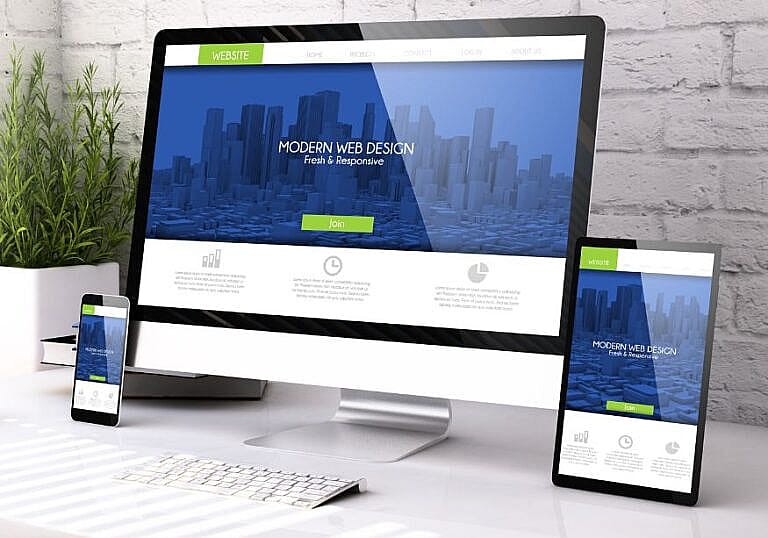
Google now uses mobile-first indexing, meaning it evaluates your mobile site before your desktop version.
Key elements:
- Responsive design
- Easy navigation on small screens
- Readable text without zoom
If your site is not mobile-friendly, your rankings will drop—even if your content is great.
3. User Experience (UX) Impacts Rankings
Google tracks how users interact with your site.
Important UX signals:
- Bounce rate
- Time on site
- Pages per session
A clean, modern design encourages users to stay longer and explore more pages.
Tips:
- Use clear headings
- Keep layout simple
- Avoid clutter
4. Website Structure & Navigation
A well-structured website helps both users and search engines.
Best practices:
- Clear menu navigation
- Logical page hierarchy
- Internal linking between pages
5. SEO-Friendly Design Elements
Your design should support SEO not fight it.
Important elements:
- Proper heading tags (H1, H2, H3)
- Optimized images (alt text)
- Clean URL structure
- Fast-loading fonts
These small details can make a big difference in rankings. According to Google’s official SEO guidelines, following best practices for structure and performance is essential for improving visibility.
6. Core Web Vitals (Google Ranking Signals)
Google uses Core Web Vitals to measure performance.
Key metrics:
- Largest Contentful Paint (LCP)
- First Input Delay (FID)
- Cumulative Layout Shift (CLS)
A well-designed website ensures these metrics are optimized.
7. Conversion-Focused Design (SEO + Sales)
SEO is not just about traffic, it’s about turning visitors into customers.
A good design:
- Builds trust
- Highlights your services
- Makes it easy to contact you
Add:
- Clear call-to-action buttons
- Contact forms
- Testimonials
8. Common Web Design Mistakes That Hurt SEO
Avoid these mistakes:
- Slow-loading pages
- Poor mobile design
- Too many pop-ups
- Confusing navigation
- No internal linking
Fixing these can quickly improve your rankings.
Conclusion
Web design and SEO are deeply connected. A beautiful website is not enough, it must also be fast, mobile-friendly, and user-focused.
If your website is not generating traffic or leads, your design could be the reason.
Need Help?
At HMDIA, we build AI-ready, SEO-optimized websites designed to rank and convert.
👉 Explore our web design services to get started today