To set up a pay-per-click campaign in Google Ads, choose one service to promote, define what counts as a lead, and test conversion tracking before you start spending. Then create a Search campaign, target the areas you serve, group closely related keywords, and send each ad to a page that delivers what it promises. After launch, check which searches bring in qualified enquiries.
In pay-per-click (PPC) advertising, you typically pay when someone clicks your ad. This checklist focuses on Google Search ads for a small service business. The same planning steps can work for an online shop, but its main conversion might be a completed purchase instead of an enquiry.
Choose One Offer and Define a Qualified Lead
Pick a service people already search for and that your team can deliver. Decide what you want visitors to do after they click: request a quote, book an appointment, or call about that service.
This guide uses a hypothetical Richmond Hill carpet-cleaning company. Its campaign promotes residential carpet cleaning. Its main conversion is a completed quote request. The company considers an enquiry qualified if the customer is in its service area and needs work it actually offers.
That distinction helps you judge results. A submitted form is a conversion, but an enquiry from outside your service area may not be worth pursuing.
Prepare the Landing Page and Test Tracking
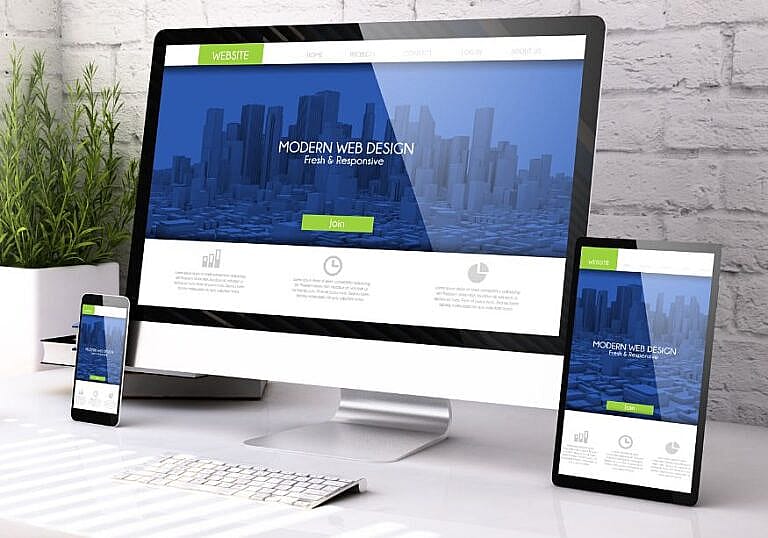
Send visitors to a page for the advertised service. For the carpet-cleaning campaign, that page should explain what the service includes, where the business works, and how customers can request a quote. Make the form easy to find on a phone, and tell people what happens after they submit it. See our lead generation landing page examples for ways to structure the page.
Then test the whole journey:
- Open the page on a phone and submit a test enquiry.
- Confirm that it reaches the right inbox or customer management system.
- Use Google Tag Assistant to confirm the conversion event fires after a successful submission. Try an incomplete form too: it should not record a lead.
- If you track submissions through both a Google Ads tag and an imported GA4 event, choose one as the primary action for the campaign so the same lead doesn’t count twice.
Set the quote request as a primary conversion action and verify that its goal is selected for the campaign. A page view or click on the form button can help diagnose problems, but it should not count as a completed enquiry.
Create a Search Campaign and Set the Service Area
In Google Ads, open Campaigns, create a New campaign, choose Leads as the objective, and select Search as the campaign type. Confirm the conversion goal before continuing. Google’s Search campaign setup guide walks through these controls.
- Locations: Start with the cities or radius you actually serve. For an on-site service, consider Presence targeting to focus on people in or regularly in your target area. Google’s location signals are approximate, so still verify the locations of incoming enquiries.
- Networks: Review whether Google Search partners are included. If you want the initial test to focus on Google Search, uncheck the partners option.
- Language and schedule: Choose a language your ads, landing page, and team can support. If calls are central to the campaign, set a schedule that reflects when someone can answer.
Set an Average Daily Budget and Choose Bidding
Start with an amount you can afford to test, using your account currency. For most campaigns, Google’s spending rules allow charges of up to twice the average daily budget on an individual day. For a full month with no budget changes, the limit is 30.4 times the average daily budget. So CAD $20 per day would mean a typical limit of CAD $40 on a single day and CAD $608 for a full month. These figures illustrate spending limits; they don’t predict what you’ll spend or how many leads you’ll get.
Choose bidding based on what you want Google Ads to optimise. If the primary lead action is working and selected, a conversion-focused strategy is an option. A click-focused strategy aims to bring in visits. Either way, fix broken tracking before paying for traffic. For help working out what a click might be worth, see our Google Ads cost-per-click guide.
Group Keywords Around the Service
Use Google Keyword Planner to find searches that indicate someone wants to hire a business like yours. Start with one ad group for the service. For the example campaign, that could include:
- Exact match:
[carpet cleaning richmond hill] - Phrase match:
"carpet cleaning quote"and"professional carpet cleaning" - Starter negative keywords:
jobsandrental, if you are neither recruiting nor renting equipment.
Phrase and exact match can trigger ads for searches beyond the literal wording. Google’s keyword matching guide explains how meaning and intent affect matching. Check the match type and whether a negative applies to the ad group or the whole campaign before adding it.
Write the Ad and Check the Destination
A responsive search ad can show different combinations of your headlines and descriptions. Write each line so it makes sense alongside the others.
The sample business could use these headlines: Carpet Cleaning Richmond Hill, Request a Cleaning Quote, and Residential Carpet Cleaning. A sample description: “Tell us how many rooms need cleaning. Request a quote for your Richmond Hill home.”
Set the final URL to the service page with the quote form. If you have a page that lists the neighbourhoods you serve, add it as a sitelink. Preview the ad and check the destination on mobile and desktop. If the ad promises a quote, make sure the page offers a clear way to request one.
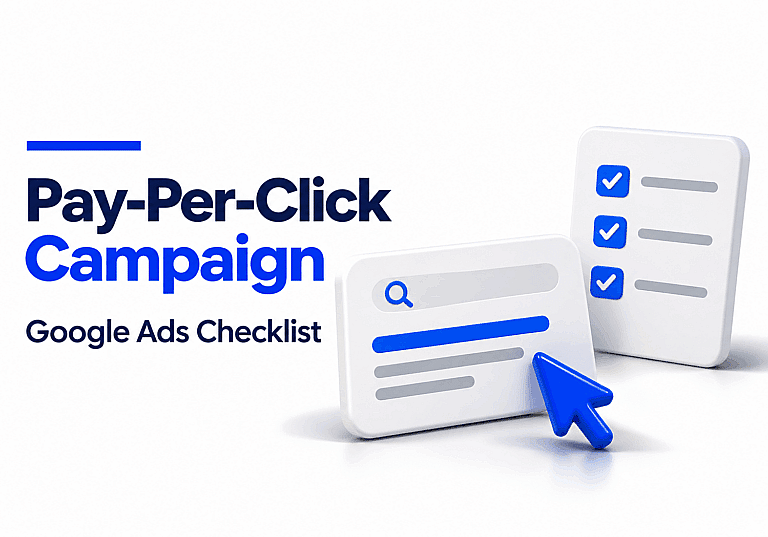
Use This Checklist Before Publishing
| Check | Confirm before you launch |
|---|---|
| Billing and timing | Payment setup, account currency, start date, and average daily budget are correct. |
| Targeting | Locations, language, networks, and schedule reflect the campaign you intended to run. |
| Keywords | Match types and negative keywords make sense for the service. |
| Ad and page | The ad accurately describes the offer, the final URL works, and the mobile form is easy to use. |
| Conversions | A successful test enquiry arrives and triggers the intended event once. The right conversion goal is selected. |
| Follow-up | Someone is responsible for answering enquiries and recording which ones are qualified. |
Once the checklist is complete, review the campaign summary and publish. Then check the campaign and ad status to see whether the ads are eligible to run.
Review the First Results Before Increasing Spend
Start with three questions: Are ads showing? Are the searches relevant? Are the enquiries worth following up?
- No impressions: Check billing, campaign and ad status, targeting, and keyword eligibility. Use Ad Preview and Diagnosis instead of repeatedly searching for your own ad.
- Clicks from the wrong searches: Open the search terms report to review the queries Google reports. Add targeted negatives where appropriate before raising your budget.
- Clicks without enquiries: Retest the form and tracking first. Then check whether the search, ad, and landing page all point to the same service and offer.
- Enquiries from people you can’t serve: Compare the ad results with your lead records. Look for the services and areas that generate qualified enquiries.
For example, if you spend CAD $300 and receive 10 enquiries, your cost per enquiry is CAD $30. If only six are qualified, your cost per qualified lead is CAD $50. Use that second figure when deciding whether to increase spending.
Frequently Asked Questions
Do I need a separate landing page for Google Ads?
An existing service page can work if it matches the ad, loads properly on mobile, and makes the next step easy. Build a separate page if your existing page serves several audiences or cannot present the offer clearly.
How many keywords should I start with?
There is no fixed number. For a small test, start with a focused group of keywords that can share one ad and landing page. Add another group when a different service needs a different message or page.
Can I launch before conversion tracking is ready?
You can prepare the draft, but wait to spend until you can confirm that a test enquiry is received and tracked. Otherwise, you may pay for clicks without knowing which ones helped generate business.
If you’d like help setting up a campaign or checking whether your landing page and tracking are ready, explore HMDIA’s Google Ads and website design services.