All plans include a 14-day money-back guarantee. If you're not completely satisfied, simply contact us for a full refund, no questions asked.
Questions, answered
Everything You Need to Know
What does HMDIA Admin Menu & Access Manager do?
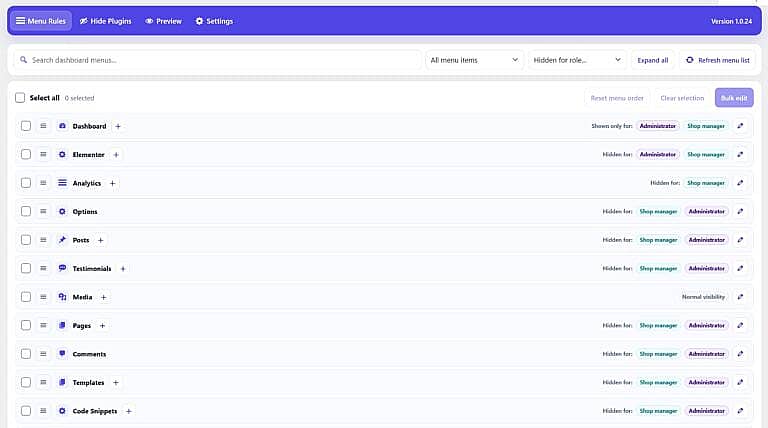
It helps you control the WordPress admin area by role or individual user. You can hide menus, hide selected plugins, rename and reorder menu items, grant permissions, preview changes, and protect access for a designated Super Admin.
Can I hide WordPress admin menus for specific user roles?
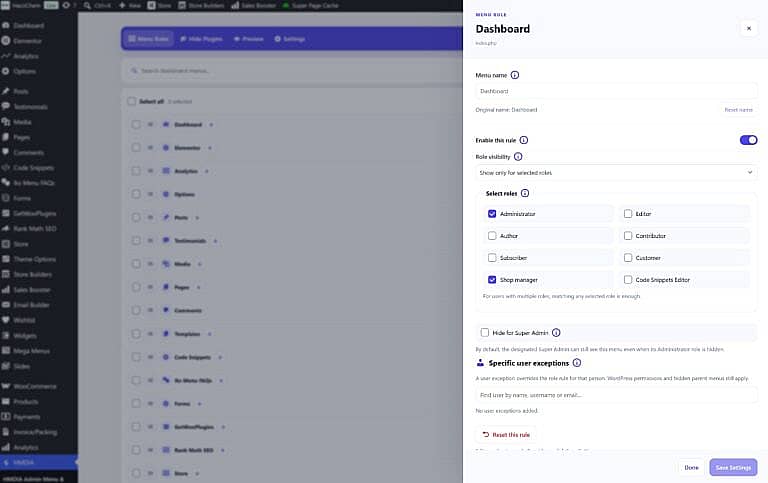
Yes. You can show or hide admin menus for roles such as Administrator, Shop Manager, Editor, Author, Subscriber, and custom roles.
Can I control menus for individual users?
Yes. Specific user exceptions can override role-based rules, giving you more precise control over what each user sees.
Can I hide plugins from certain users?
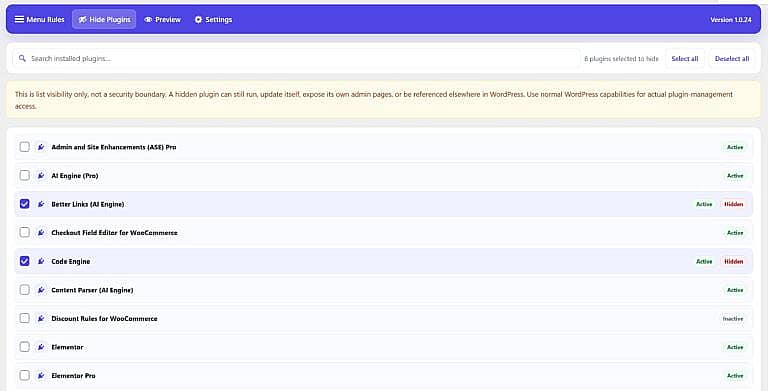
Yes. The Hide Plugins feature lets you hide selected plugins from the Installed Plugins screen for users who should not manage or view them.
Does hiding a plugin deactivate it?
No. Hidden plugins remain active and continue working normally. The feature only controls whether they appear in the plugin list for restricted users.
Can I preview changes before saving them?
Yes. The Preview tab lets you see how the WordPress admin menu will appear for a selected role or specific user before applying your changes.
Can I reorder WordPress admin menus?
Yes. You can drag and drop menu items to create a cleaner and more organized WordPress dashboard.
Can I rename admin menu items?
Yes. Menu labels can be renamed without changing their internal WordPress menu identifiers or functionality.
What is Super Admin protection?
You can designate one administrator as the plugin’s Super Admin. That account keeps access to the plugin and can remain visible to protected menus unless you explicitly choose otherwise.
Will it work with WooCommerce and custom plugins?
Yes. It detects standard WordPress menus as well as menus added by WooCommerce, Elementor, analytics plugins, custom post types, and many other plugins.